Answer the customer with context
Ask about a SKU or product and relate available quantity to the buyer’s need. Clarify different versions before checking. Move from “there is stock” to a specific answer about the requested item and quantity.

Oráculo IA · Inventory
WooCommerce inventory management connects current stock information with the adjustments you prepare. Check original stock levels and prepare quantity or availability adjustments. Review current and proposed values before changing inventory.
Store connection and permissions required

 Oráculo IAExample
Check stock for this SKU
Original product · Live lookup
Review adjustment →Tell Oráculo IA
Instead of browsing listings one by one, start with a work question: how many units remain, whether they cover an order or what quantity to set after a physical count. Oráculo IA connects that intent with the correct item and helps interpret the answer to continue the sale.
“A customer needs ten CAT6 units. Check whether stock covers it.”
“We counted 25 units. Check how many the store reports.”
“Explain the difference between in stock, out of stock and on backorder.”
“Prepare an adjustment to 25 units and tell me the difference.”
Ask about a SKU or product and relate available quantity to the buyer’s need. Clarify different versions before checking. Move from “there is stock” to a specific answer about the requested item and quantity.
Share the warehouse count and ask to review the difference against WooCommerce. Before applying it, check the SKU and proposed quantity. The team can work with a natural instruction while keeping a clear review point against the original record.
With stock checked, prepare an order; if it is insufficient, research an alternative or review a supplier list. A lookup does not reserve stock or trigger automatic purchases. Decisions rely on availability verified at that moment.
Oráculo IA · You in command
Look up first. Adjust second. Review the saved WooCommerce value.
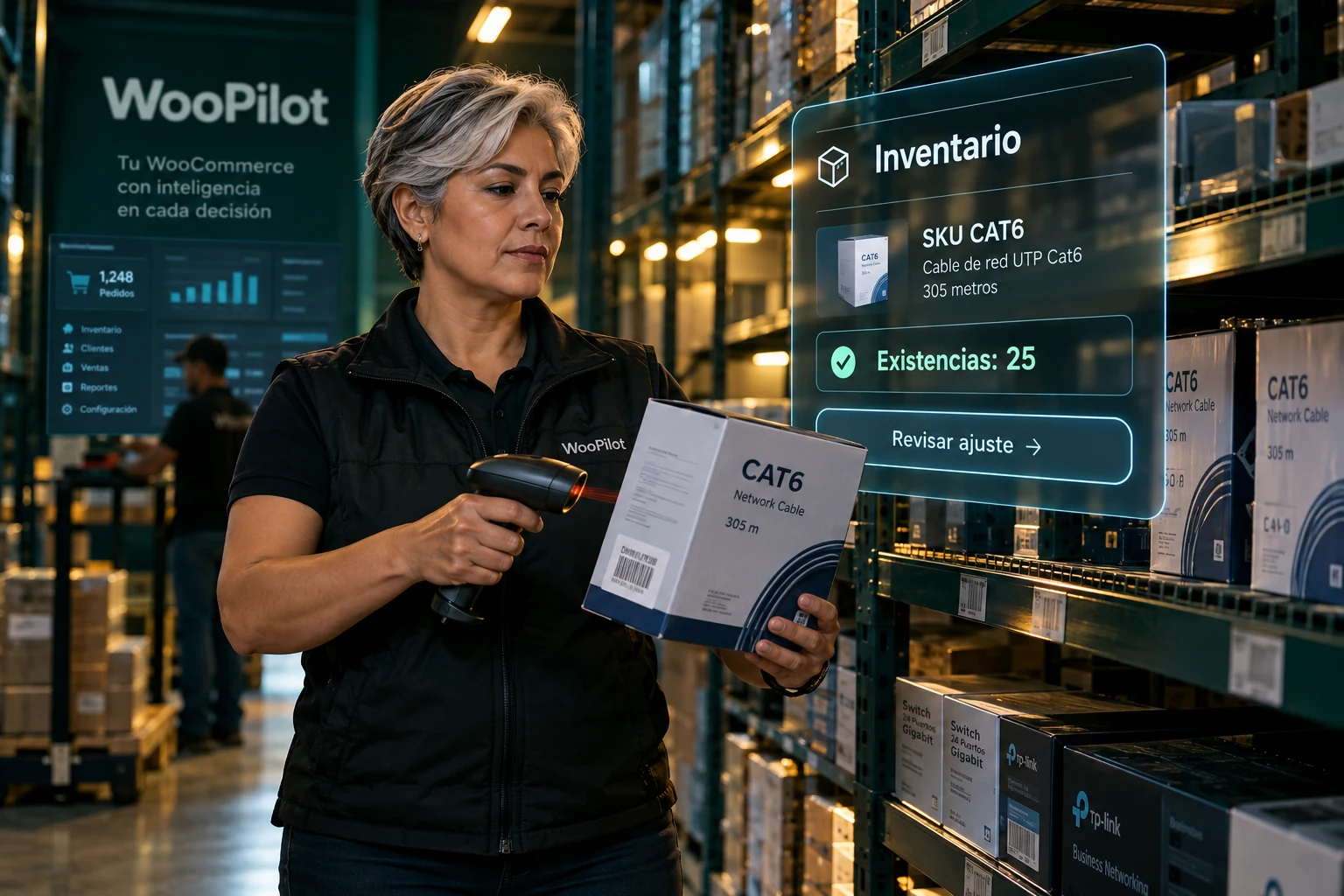 Oráculo IAIllustrative example
“How many CAT6 units remain? Prepare an adjustment to 25 and show the difference.”
| SKU | CAT6 |
|---|---|
| Current | 30 |
| Proposal | 25 |
Check quantity, stock status and whether the product manages stock. In stock, out of stock and on backorder have different effects. A lookup reports the current state; it does not reserve goods for a customer.
Specify an exact quantity or review an increase or decrease. Subtracting five units requires first reading the current value. Check the product, previous quantity and proposed quantity before approving a reduction.
Sales, returns and other users can change the record during a conversation. If revision checking detects a change, read again. Verify the original after saving, particularly after a slow response, before repeating the adjustment.

The product, customer and order belong to the same sale. Continue to the next skill with identified records and review each change against the original. Illustrative scene.
One skill connects to the next. Continue your operational workflow.
Explore the next step →Work with context: identify the right record, query available information and review the scope before requesting a change. These features explain what to expect in this section.
Check quantity, stock management and status: in stock, out of stock or on backorder.
Prepare a quantity and review the proposed result. Increasing or decreasing stock first requires knowing its current value.
If the record changed after the lookup, revision checking can block a stale save and require a fresh read.
Oráculo IA / InventoryDiagramCheck quantity, stock management and status: in stock, out of stock or on backorder.
Prepare a quantity and review the proposed result. Increasing or decreasing stock first requires knowing its current value.
If the record changed after the lookup, revision checking can block a stale save and require a fresh read.
A useful conversation
“How many units of SKU CAT6 remain?”
“Check this product and prepare its stock at 25 units.”
These are example requests. Results depend on store data, permissions and enabled features. When information is missing, Oráculo IA should ask.
Specify the customer, product or order and resolve matches before proceeding.
Check values and missing information. Available write operations require review and approval.
Distinguish between a lookup, proposal and saved operation. Check the original before repeating an action.
A lookup does not reserve stock. Sales and integrations can change inventory. Check the saved result and do not confuse a proposal with an executed update.
See permissions and approvals →The connected store keeps its original records. Lookups do not create another commercial catalog, and saved operations must be reflected in the original.
Available quantity and stock status affect what you can sell. First identify the product or variation, check stock management and verify whether the record is in stock, out of stock or on backorder.
A lookup does not reserve goods. Sales and other integrations can change stock after it is read. Review the adjustment and verify the result in WooCommerce; revision checking helps detect a stale save.
Before you start
No. It works with the original products, customers and orders in the connected store. Saved changes use WooCommerce functions and hooks.
Yes. Describe what you need and continue the conversation. If information is missing or matches are ambiguous, the assistant should resolve that with you before preparing a change.
Lookups do not change records. Write operations present a review and require the corresponding approval. Always check the store, line items and proposed values.
The store links its own connection using a QR code. Operations are restricted to authorized numbers. Private conversations do not require a mention; groups do.
The chat can analyze compatible formats within its size and reading limits. Background bulk import is a separate development: importing millions of products is not currently offered as an available capability.
On orders when your store connector and document plugin expose them. Oráculo IA shows available original documents; it does not invent invoices or turn a commercial PDF into a tax invoice.
Oráculo IA · NegocioLibre
Tell us how your team works and let’s review which operations you can bring to Oráculo IA.