Oráculo IA · Products

Your catalog.
In your words.

WooCommerce product management starts with the original record, not a second copy of your catalog. Search by name or SKU and check price, description and availability. Prepare changes to the original WooCommerce product, with a review before saving.

Store connection and permissions required

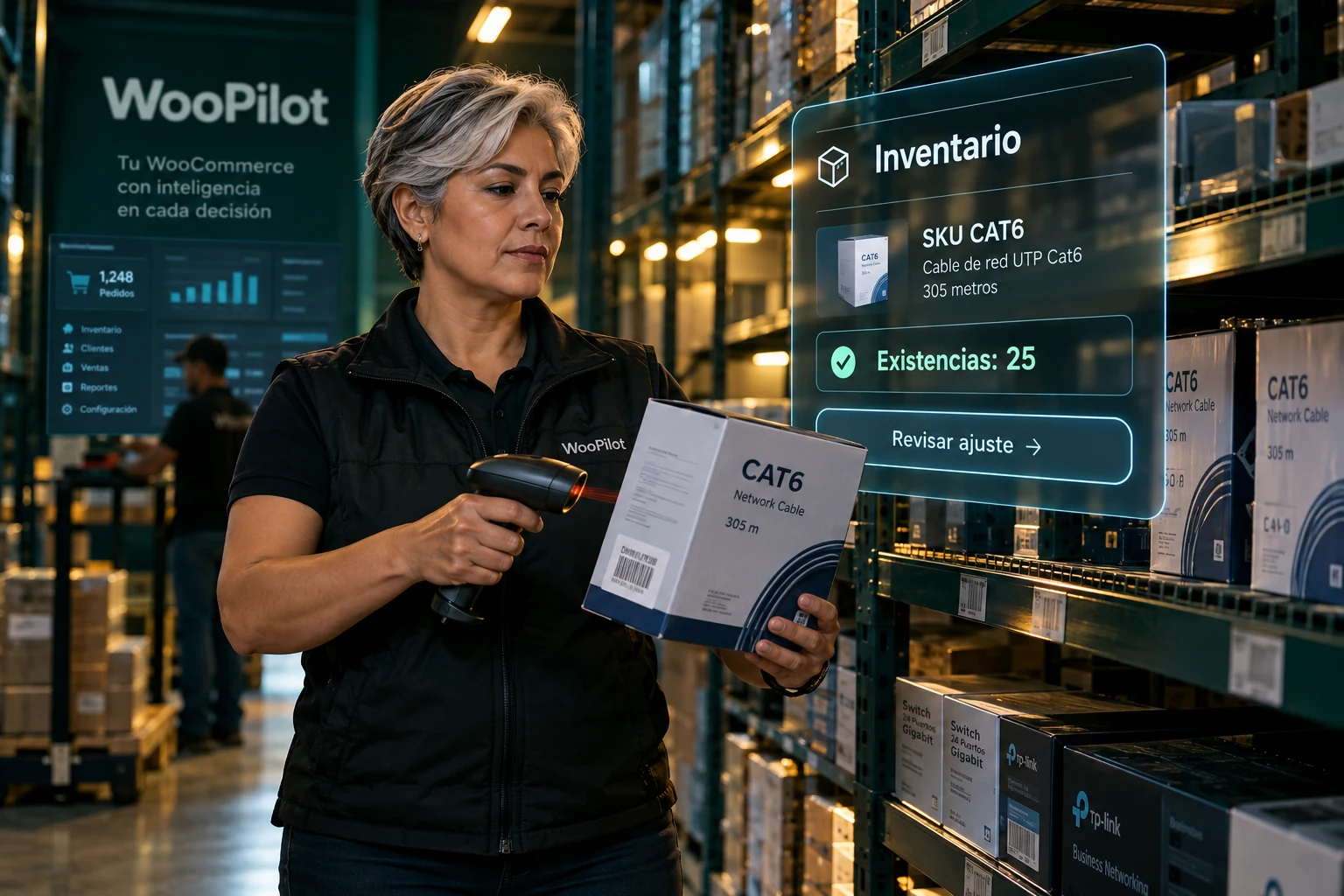
WooCommerce technology products: keyboard, headphones, mouse and network cable
Oráculo IAExample

Products

Original record lookup

Review information →
Illustrative composition. Your store data is queried once connected.

Tell Oráculo IA

Talk about what you want to sell. Oráculo IA helps find the way.

Customers do not always arrive with a SKU. They may need an affordable computer, a compatible alternative or a product with a better margin. Tell Oráculo IA the need, budget and important specifications. Conversation helps research options, explain differences and bring the decision into your store catalog.

Start like this. Then keep talking.

“Find affordable Dell computers and explain which suits an office.”
“Compare this model against available supplier references. Include price, version and stock.”
“If my cost is 400 pesos, calculate the profit at selling prices of 499 and 549.”
“I chose this SKU. Show its current price and prepare a change to 549.”
01

Research to give a better answer

Ask for specifications, uses, advantages and differences between the products you are considering. It can help turn a specification sheet into a buyer explanation: what it solves, whom it suits and what needs verification. Missing specifications should be identified rather than invented.

02

Compare the full cost, beyond the smallest number

A useful comparison gathers price, currency, taxes, pack quantity, stock and lookup date. Ask it to rank references and explain differences. Data may come from accessible sources, links or lists you share; private portals require an authorized integration. Research does not guarantee access to every supplier.

03

Build your sales proposal

Using the cost you provide, explore selling-price and gross-profit scenarios. Specify whether you mean sales margin or markup on cost, because they differ. Then bring the selected product into your store workflow: read the original record and review the price change before saving.

Oráculo IA · You in command

From SKU to a commercial decision.

One identified product. Current fields in view. A proposal you can review.

From SKU to a commercial decision.
Oráculo IAIllustrative example

“Find CAT6. Check price, description and availability before changing it.”

Details to review · Example
SKUCAT6
Current price$499 MXN
Proposal$479 MXN
Look up → Prepare → Review
01

Identify the exact item

Start with a SKU, name or store product link. If several records match, Oráculo IA should clarify the intended item. For variable products, verify the variation too; a family and a specific version are different records.

02

Turn a lookup into a proposal

Review an existing product’s name, description, regular price or sale price. Compare old and proposed values, confirm currency and check that the sale applies to that item. Conversation carries the intent; the server validates the available action.

03

Save with commercial judgment

A price reduction deserves a margin review. Supplier prices need comparable dates, versions, taxes and availability. Commercial research does not guarantee the lowest price or execute promotions automatically.

From information to your store’s next step

A conversation that moves operations forward

The product, customer and order belong to the same sale. Continue to the next skill with identified records and review each change against the original. Illustrative scene.

One skill connects to the next. Continue your operational workflow.

Explore the next step →

Information to move your operations forward

Work with context: identify the right record, query available information and review the scope before requesting a change. These features explain what to expect in this section.

Oráculo IA / ProductsDiagram

Every step has a purpose

01
Find without guessing

Search by SKU or name keywords. With multiple matches or variations, clarify which one you need before editing.

02
Prices and content

Review the name, description, regular price and sale price. The proposal shows which fields will change.

03
Publication under control

Review status changes to an existing product: draft, private or published. Check the result before repeating an operation.

Lookup → Review → Approval when required

A useful conversation

Ask in your own words

“Find SKU CAT6 and tell me its price and stock.”
“Prepare a price change to 499 pesos for this product.”

These are example requests. Results depend on store data, permissions and enabled features. When information is missing, Oráculo IA should ask.

From context to result

  1. 01

    Identify the context

    Specify the customer, product or order and resolve matches before proceeding.

  2. 02

    Review the details

    Check values and missing information. Available write operations require review and approval.

  3. 03

    Check the result

    Distinguish between a lookup, proposal and saved operation. Check the original before repeating an action.

Understand the scope

Complete conversational creation of simple and variable products and bulk import are not yet offered as finished features. Images and variations require a specific workflow.

See permissions and approvals →

Always in WooCommerce

The connected store keeps its original records. Lookups do not create another commercial catalog, and saved operations must be reflected in the original.

Your operations, in context

WooCommerce product management before you edit

A name match does not always identify the variation a customer needs. Use the SKU and review the product before offering or changing it. Prices, descriptions and status must correspond to the original item in the connected store.

Price and content corrections need a concrete proposal and approval. Full variable-product creation, images and bulk uploads have their own workflows; check enabled capabilities before using them.

Before you start

Clear answers for your team

Does Oráculo IA replace my store?

No. It works with the original products, customers and orders in the connected store. Saved changes use WooCommerce functions and hooks.

Can I speak naturally?

Yes. Describe what you need and continue the conversation. If information is missing or matches are ambiguous, the assistant should resolve that with you before preparing a change.

Are changes applied immediately?

Lookups do not change records. Write operations present a review and require the corresponding approval. Always check the store, line items and proposed values.

Can my team use WhatsApp?

The store links its own connection using a QR code. Operations are restricted to authorized numbers. Private conversations do not require a mention; groups do.

Does it read files and bulk-import CSVs?

The chat can analyze compatible formats within its size and reading limits. Background bulk import is a separate development: importing millions of products is not currently offered as an available capability.

Where do I see invoices and proformas?

On orders when your store connector and document plugin expose them. Oráculo IA shows available original documents; it does not invent invoices or turn a commercial PDF into a tax invoice.


Oráculo IA · NegocioLibre

Your store already has the data.
Give it a conversation.

Tell us how your team works and let’s review which operations you can bring to Oráculo IA.